
查找
English
- Overview
- Latest Release Notes
- Historical Release Notes
- About ENCOO RPA Studio
- Product Introduction
- Quick Start
- Project Flow
- Version Control
- ENCOO Market
- FAQ
- ENCOO Component Library
- ENCOO RPA Robot
- ENCOO RPA Console
- Q&A
- LEGAL NOTICES
本文内容导航
IBM DB2 Extension
Install the IBM DB2 extension to automate IBM DB2 database.
Description:
After the IBM DB2 extension is installed, it will be used with the Connect Database activity.
Install
- Run the studio or robot as an administrator, and find IBM DB2 Extension in Start > Tools > Extension of studio or Settings > Extension of robot.
- Click the IBM DB2 Extension icon.
- In the Install EBM DB2 Extension pop-up box, click the OK button to install.
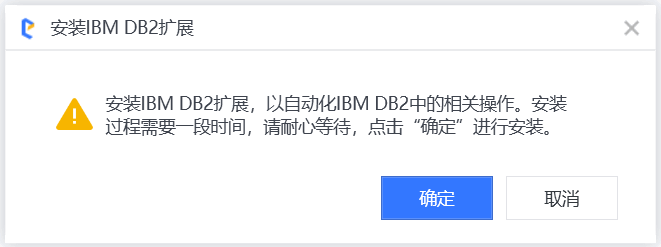
- If the installation is normal completed, you will be prompted that the installation is successful.
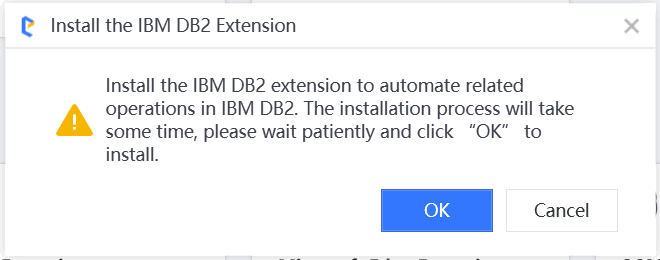
- Click the OK button to complete the installation.
Uninstall
- Find the installation path of the studio or robot.
Description:
- The default installation path of the studio is
%UserProfile%\AppData\Local\Encoo Studio.- The default installation path of the robot is
%UserProfile%\AppData\Local\Encoo Studio.
- Find the following folders and files in the folder similar to
app-x.x.20xx.xxunder this installation path, and manually delete them.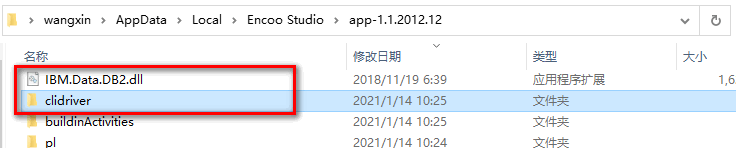

Copyright © 2020 上海云扩信息科技有限公司