查找
English
- Overview
- Latest Release Notes
- Historical Release Notes
- About ENCOO RPA Studio
- Product Introduction
- Quick Start
- Project Flow
- Version Control
- ENCOO Market
- FAQ
- ENCOO Component Library
- ENCOO RPA Robot
- ENCOO RPA Console
- Q&A
- LEGAL NOTICES
本文内容导航
Chrome Extension
In the studio or robot, you can automate the browser by installing the Chrome extension.
Note:
- The minimum Chrome version is 60.
- Before installing the extension, you may be asked to close Google Chrome, so make sure to save the relevant jobs in processing.
Install
Under Tools > Extension in the studio, you can see the Chrome extension you need to install.
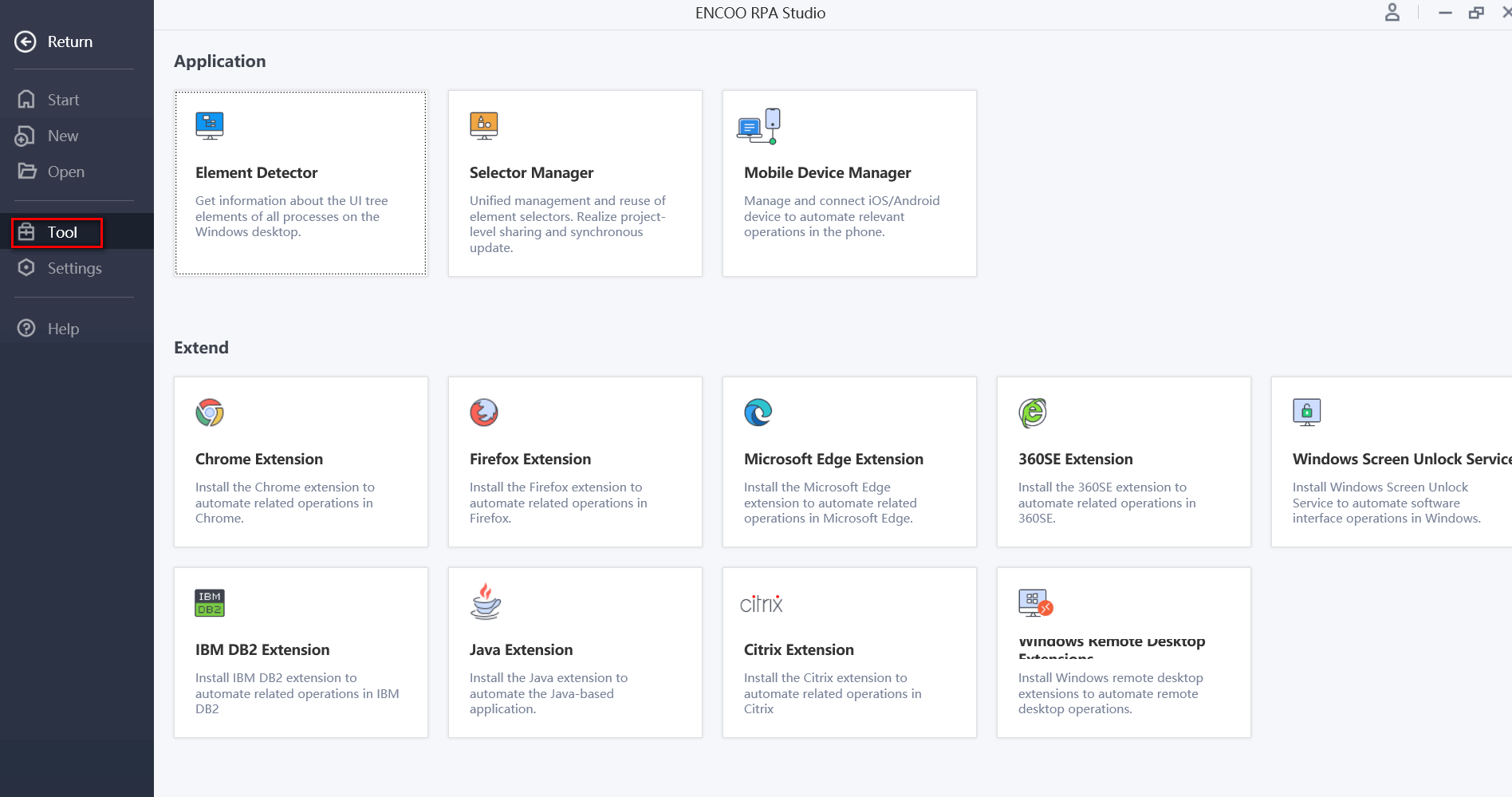
Description:
In the robot, the path of Chrome extension is under Settings > Extension.
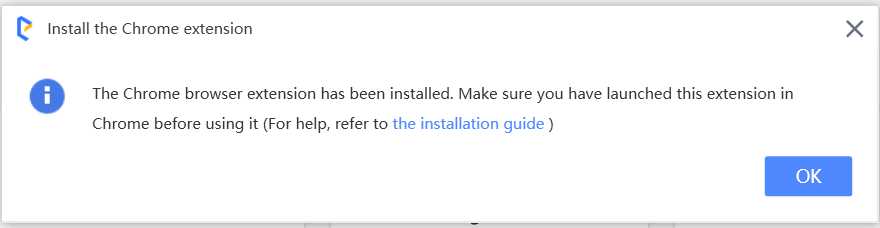
Click "Chrome Extension", and click "OK" in the pop-up dialog box.
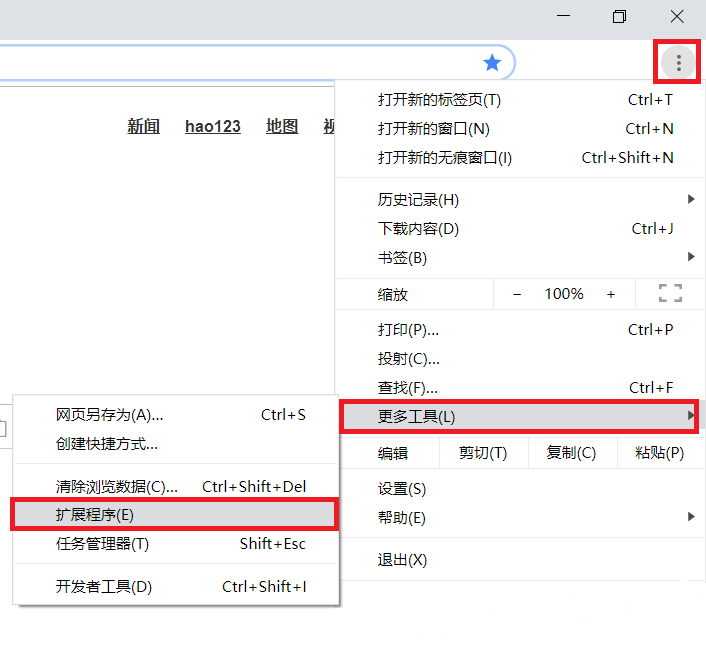
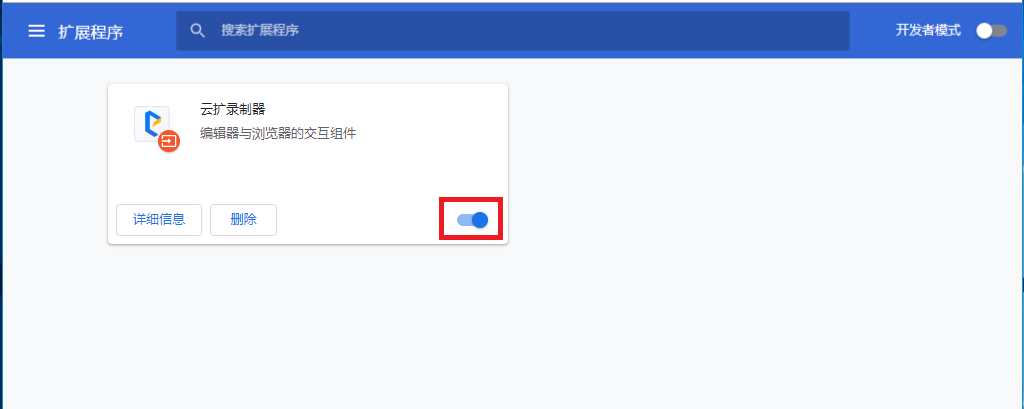
Open Chrome browser and click "More Tools > Extension" in the side navigation bar.
In the opened page
Click the Enable button in the lower right corner of this extension.

Copyright © 2020 上海云扩信息科技有限公司